Modern ERP for Turkey · Plans from ₺5,500/month + VAT

Labyra ERP

From accounting to e-transformation, from payroll to manufacturing — a modern, all-in-one ERP for Turkey that runs your whole business. Cloud-based, on any device; with an on-prem option for enterprise.

No setup · 24 hours free · no card required
demo.labyra.co

ERP

ProductBusiness software

Input

Where are this week's orders?

Output5 orders · 1 late
SAL-ORD-2026-00021SHIPPED
SAL-ORD-2026-00023READY
SAL-ORD-2026-00025PICKED
SAL-ORD-2026-00024LATE

AssistantDrafts it, you approve the entry

Scan: live demo · demo.labyra.co
SOUND FAMILIAR?

You have software. But who keeps the order?

  1. Stock lives in Excel; the real count lives in someone's head.
  2. We wait for the accountant to issue an invoice.
  3. Whose desk is this order sitting on?
  4. What did each job actually earn? We find out at month-end.
  5. A machine stopped and nobody wrote it down anywhere.
  6. Payroll is recalculated by hand every single month.

Labyra ERP puts these in one order.

END TO END

From setup to the first invoice. Eight steps.

See what happens at each step, who does it and what you end up with. This sequence was run end-to-end on a factory setup.
  1. 01
    You + Labyra

    Information form

    One form, 20 items: legal name, tax details, warehouse layout, product and account lists, opening stock. Six are required; for the rest you fill in whatever you already have.

    Business information form
    • Legal name · code · slugrequired
    • Business typeManufacturing
    • Product / account listCSV
    • Opening stock & balancesoptional
  2. 02
    Labyra

    Provisioning

    Your own address, HTTPS certificate and company record are set up. Warehouses, chart of accounts, units and role profiles arrive ready for your business type — you never face a blank screen.

    yourcompany.labyra.co
    • Site + HTTPSready
    • Turkish chart of accountsinstalled
    • Business packManufacturing
    • Admin accountcreated
  3. 03
    You + Labyra

    Users and permissions

    Who sees which screen, who approves what. Role profiles come ready; you supply the team list. Every action is logged from day one.

    Roles
    • Production staff4 people
    • Accounting1 person
    • Warehouse2 people
    • Approval thresholdon
  4. 04
    Labyra

    Your master data

    Your products, accounts, opening stock, opening balances and bills of materials are imported. A CSV export from your current software is enough — no data entry from scratch.

    Data migration
    • Product recordsimported
    • Customer accountsimported
    • Opening stockreconciled
    • Trial balancebalanced
  5. 05
    You + Labyra

    Dress rehearsal

    A real job is run end to end: purchase → goods receipt → production → sale → collection → reports. Is the costing right, is the trial balance balanced — checked before you take over.

    Rehearsal result
    • Purchase → invoicepassed
    • Work order → production entrypassed
    • Order → dispatch → collectionpassed
    • Finished-goods costmatches the BOM
  6. 06
    Labyra

    e-Document setup

    Together with your accountant, e-Invoice, e-Archive and e-Despatch settings are configured; your integrator connection is established and the inbox is opened.

    e-Documents
    • Tax-number validationpassed
    • Integrator connectionestablished
    • Inboxopen
    • Legal archive10 years
  7. 07
    You

    Handover

    Passwords, the user guide and the backup plan are handed to you. The system is yours now: you train your team and you issue the first invoice.

    Handover pack
    • Admin passwordhanded over
    • User guidePDF
    • Backup plandaily
    • First invoiceyours
  8. 08
    Labyra

    The first 30 days

    We stay with you for the first month: whatever you get stuck on, any fix, extra training. This is exactly where ERP projects get abandoned — which is why this step is part of the setup package.

    First 30 days
    • Supportincluded
    • Fixesincluded
    • Extra trainingincluded
    • After thatsupport continues

WHO DOES WHAT

Three parties. One loop.

Labyra

Sets it up, migrates your data, rehearses the flow, stays with you the first month. No software expertise expected from you.

Labyra AI

Speeds up the routine: drafts the quote, order or invoice and pulls the report. You type in plain language; nothing is saved until you approve.

You

You make the decisions. You are the one who knows the business; the system just keeps your order and remembers who did what.

See it up close

Every module, real screens

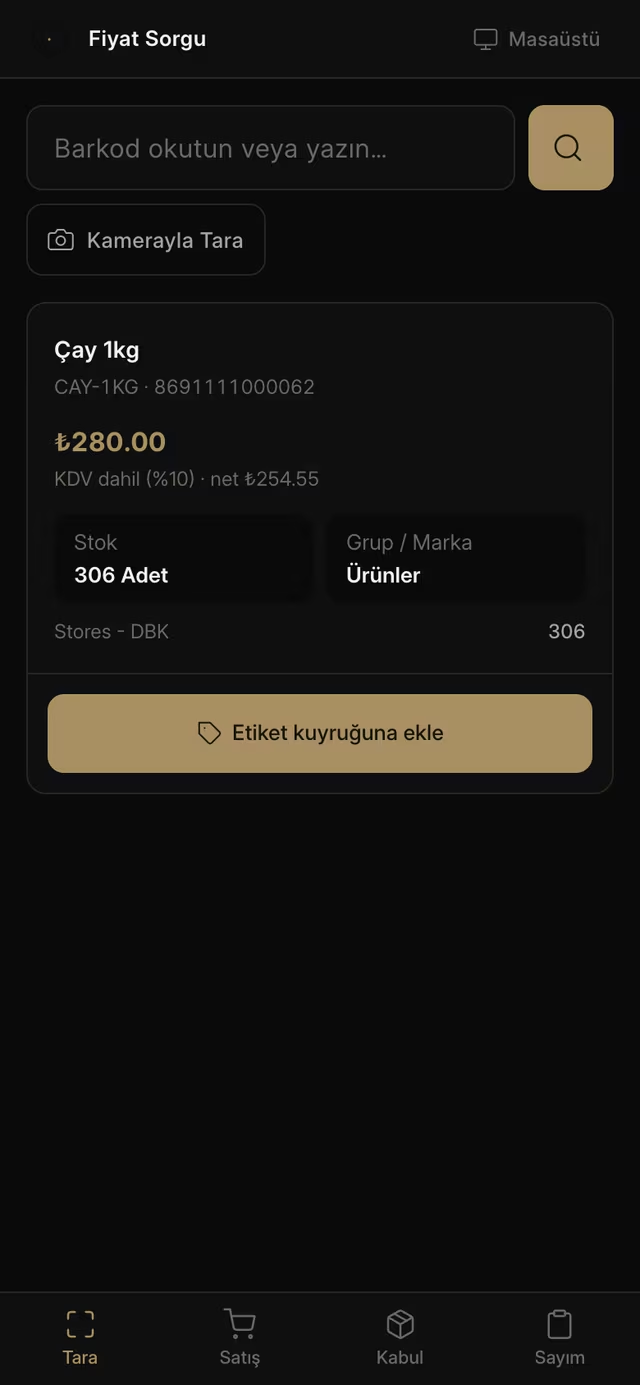
These are live Labyra ERP screens. Toggle light/dark on the stills, and play the videos.

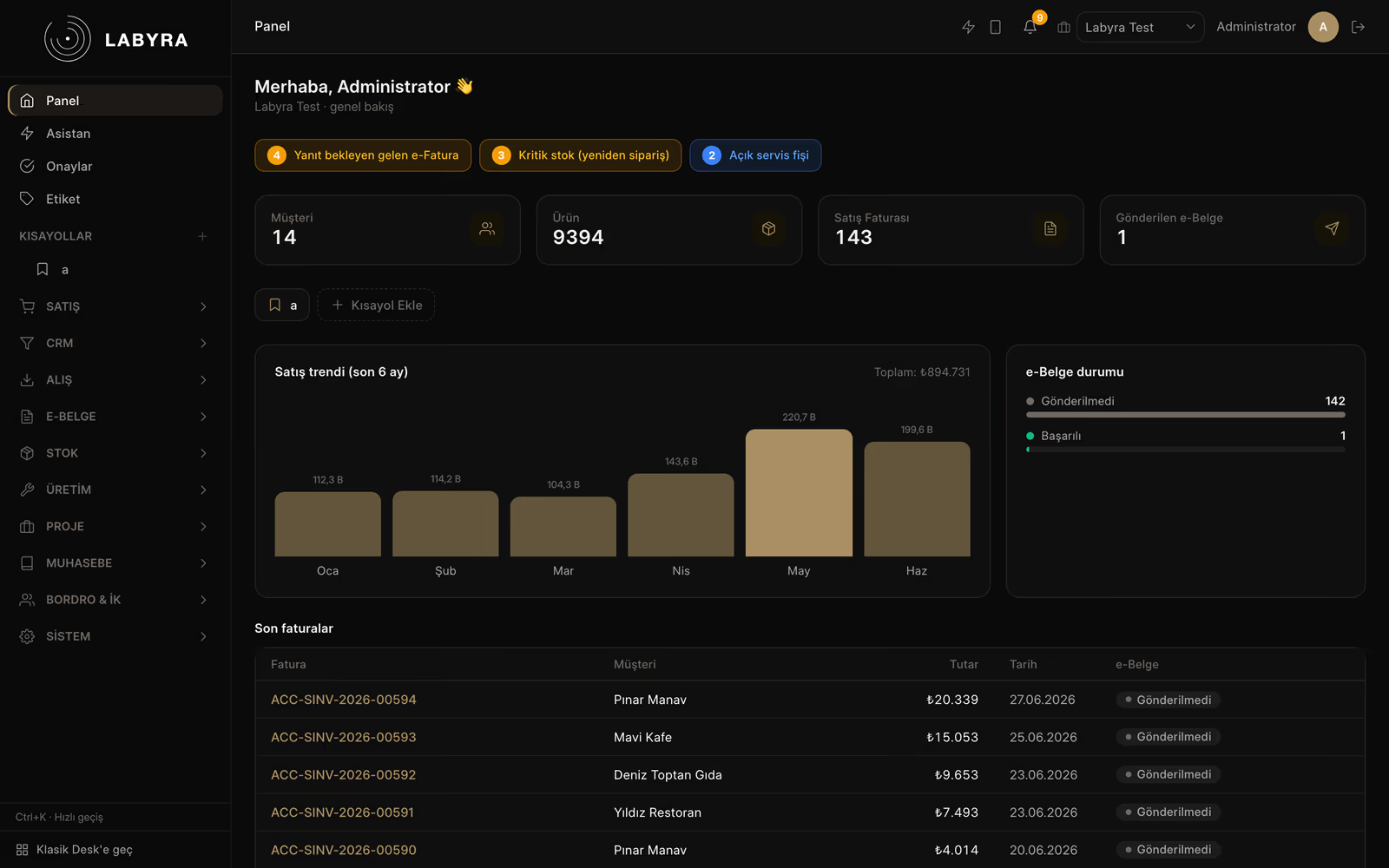
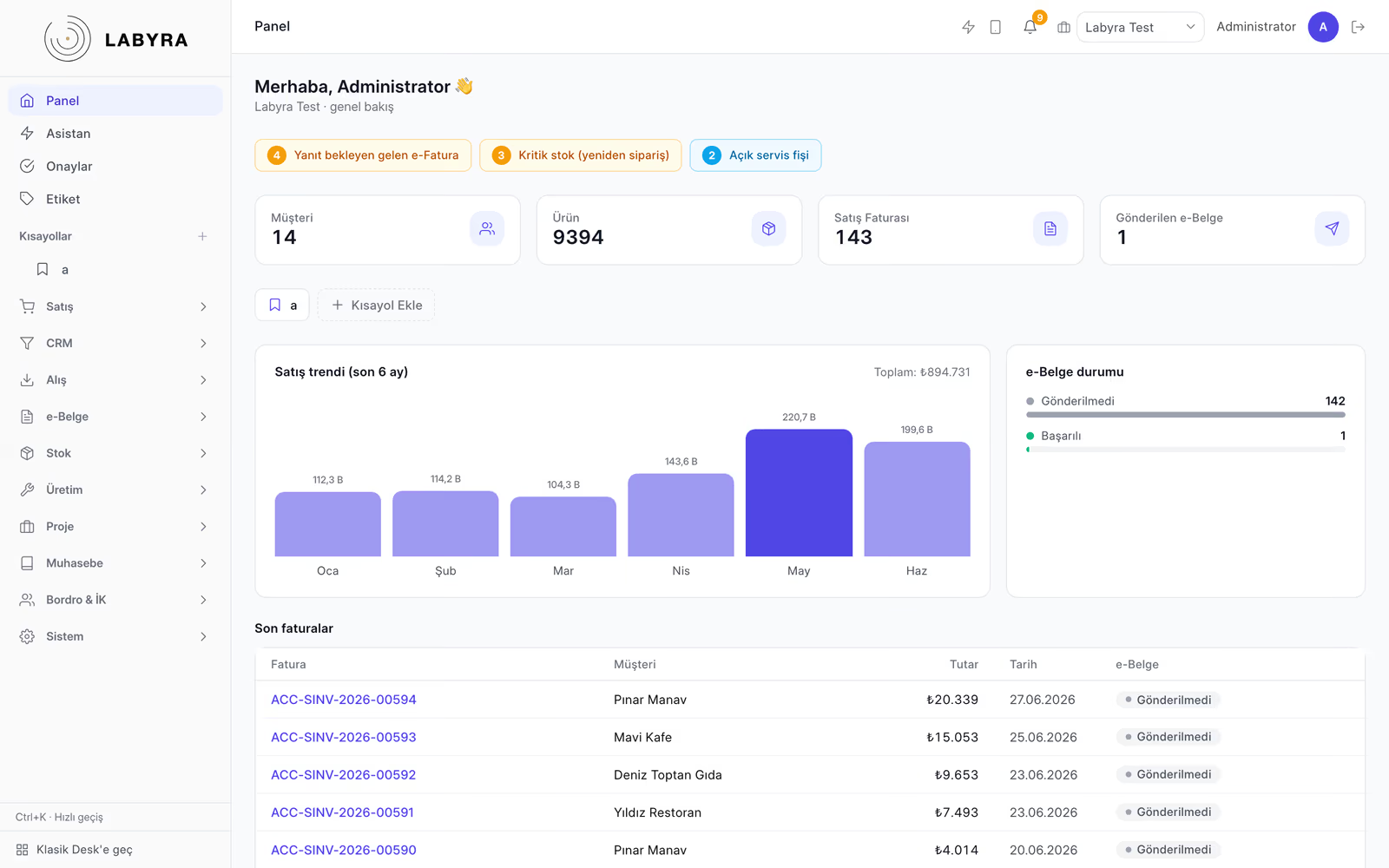
01 / 08

Overview Dashboard

Live KPIs, a monthly sales trend and recent activity on one screen — the pulse of your business at a glance.

Labyra ERP · Overview Dashboard
Labyra ERP — Overview DashboardLabyra ERP — Overview Dashboard

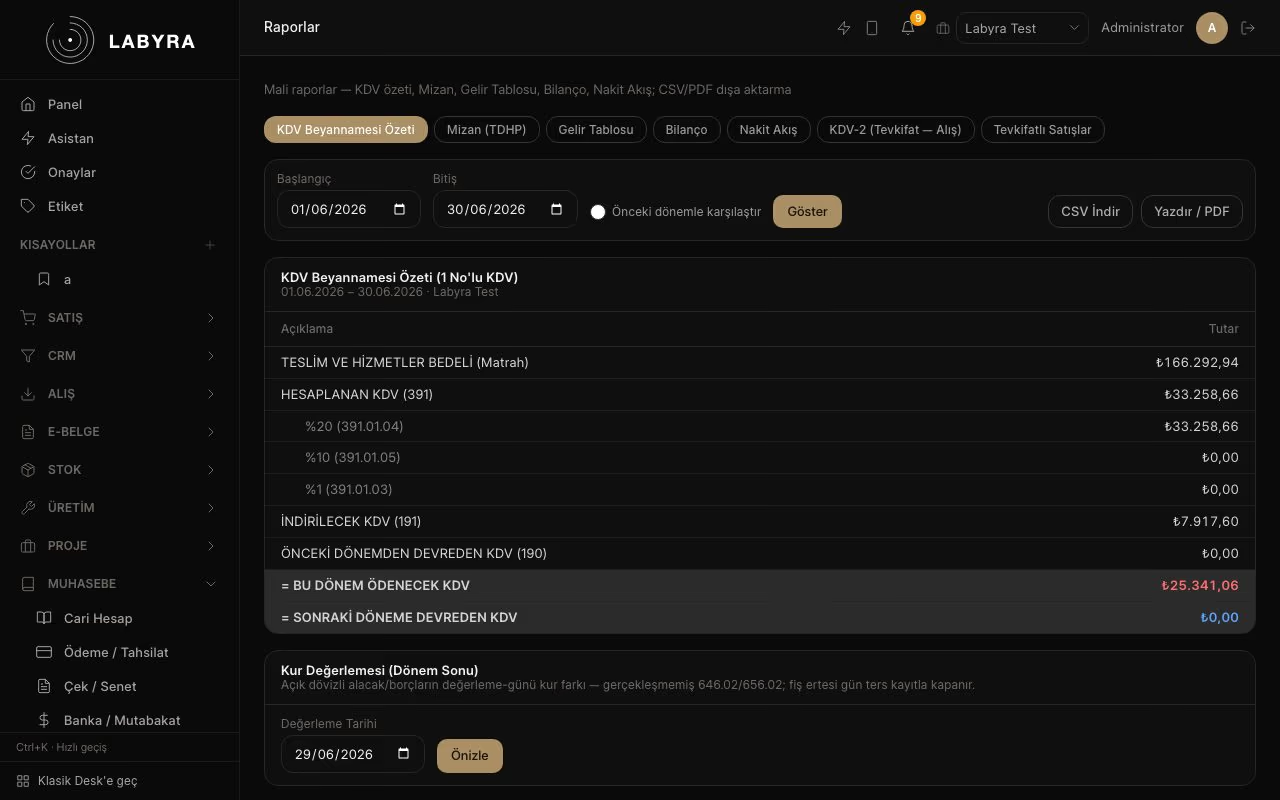
02 / 08

Accounting & Reporting

VAT return, trial balance, income statement, balance sheet and cash flow in one click. Hit play to tour the reports.

Labyra ERP · Accounting & Reporting

Real screen recording — click to play

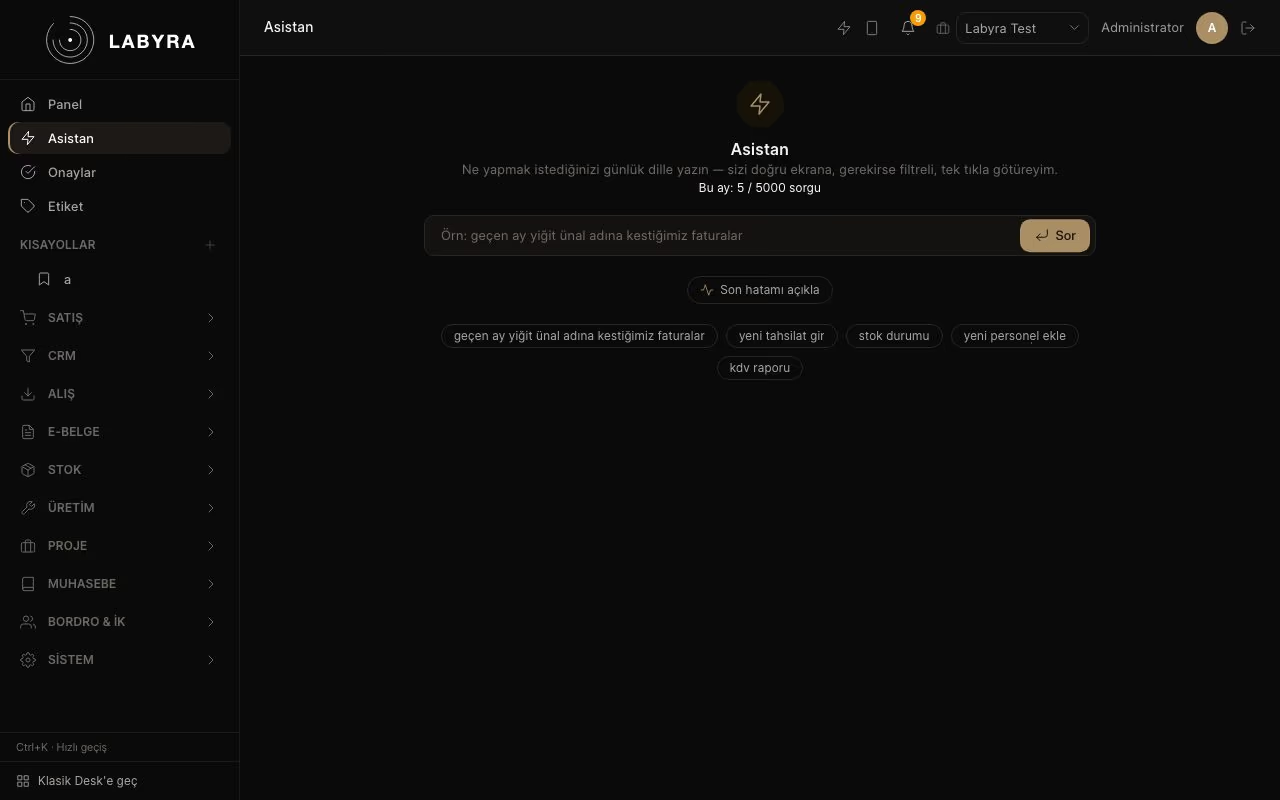
03 / 08

AI Assistant

Type in plain language — say "last month's invoices for Deniz Toptan Gıda" and the assistant understands and takes you to exactly that filtered screen. Hit play.

Labyra ERP · AI Assistant

Real screen recording — click to play

AI ASSISTANT

The assistant drafts. The approve button is yours.

Tell the assistant in the ERP what you need in plain language and it prepares a draft quote, sales order or sales invoice. You can also query your data read-only from your own Claude client.
Labyra ERP · AssistantSAMPLE DATA

Sample data: the ERP assistant is asked for a sales order; it prepares a draft, and a record is created only when Approve is pressed. The same flow can be chosen for a quote or a sales invoice.

YOU

Prepare an order of 20 boxes of A4 copy paper for [Sample customer].

  1. Customer found: [Sample customer]
  2. Product found: A4 copy paper (box)
  3. Unit price applied
  4. Draft sales order ready

Sales order

[Sample customer]Status: DRAFT
Draft line item and totals
ItemAmount
A4 copy paper20 boxes × ₺640₺12,800
Subtotal₺12,800
VAT 20%₺2,560
Total₺15,360

Nothing is saved until you approve. A draft doesn't touch your accounts or stock.

Sales order: Awaiting approval · nothing saved yet

Note: The assistant is switched on per business in its site settings and has a usage quota. The e-Invoice / e-Archive layer, through the private integrator Nilvera, is in testing and not live yet.

Small business

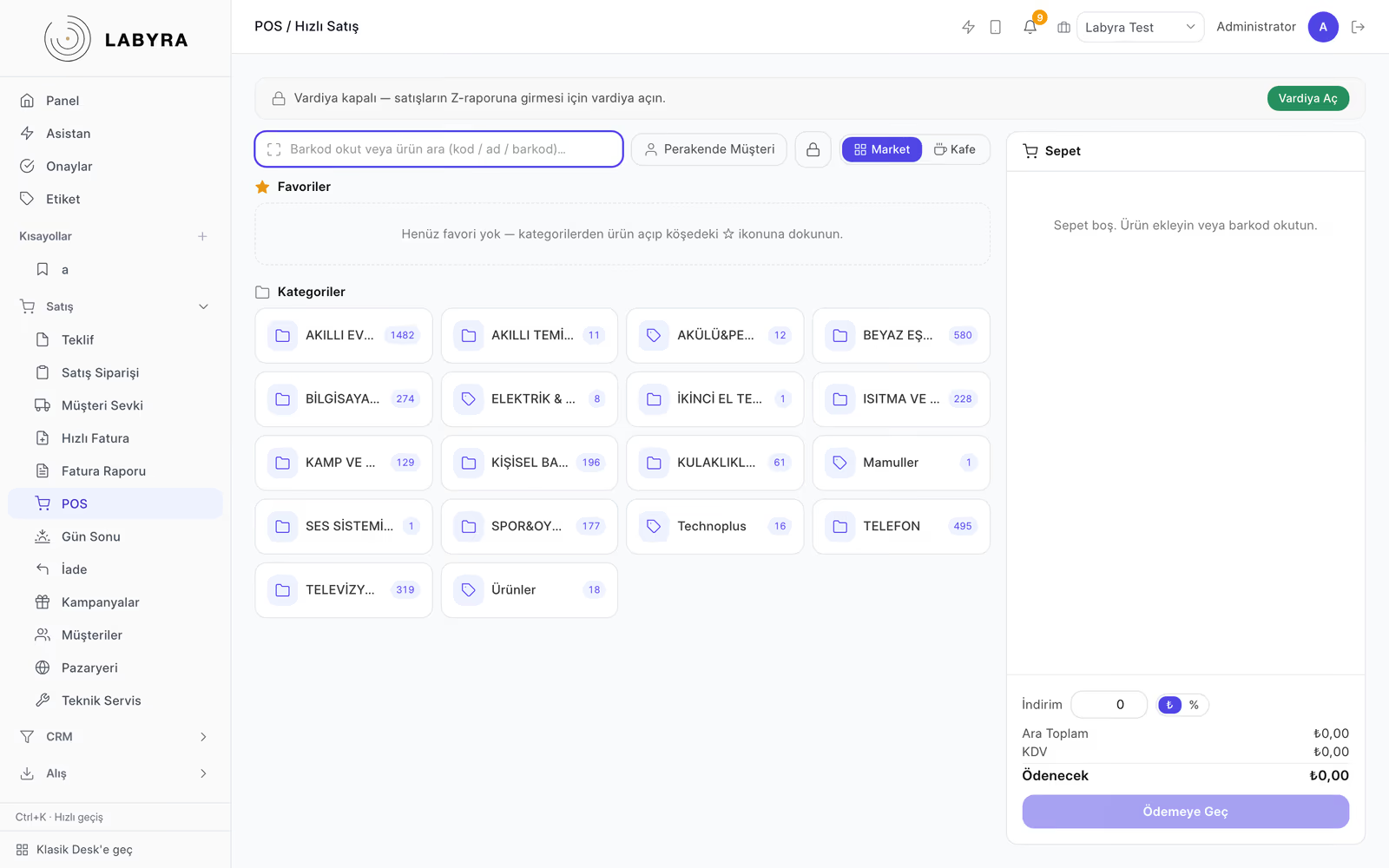
Made for your cafe, shop and small business

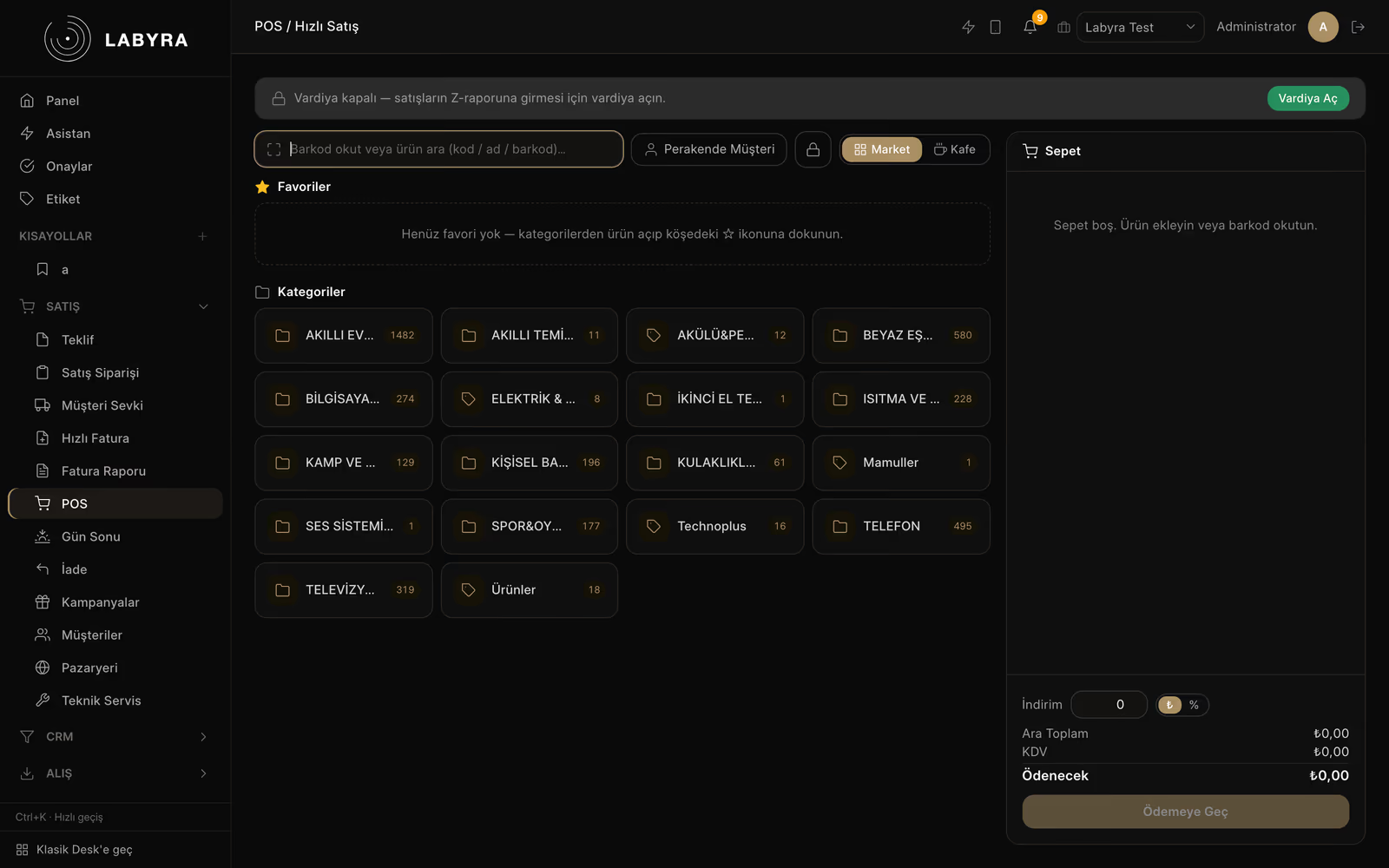
Far from complex screens. Labyra is built for small businesses that make many sales throughout the day. Designed around a cafe's real needs, with mobile-friendly screens. In short: fast, simple and in your pocket.

  • Fast sales all daySell and close the bill in a few taps, even at rush hour.
  • Simple, not complexEasy to learn. No thick manuals or long training.
  • Works in your pocketFully responsive on phone and tablet. From the counter or the table.
  • Built for your tradeSpecial modules for cafes, shops and retail.

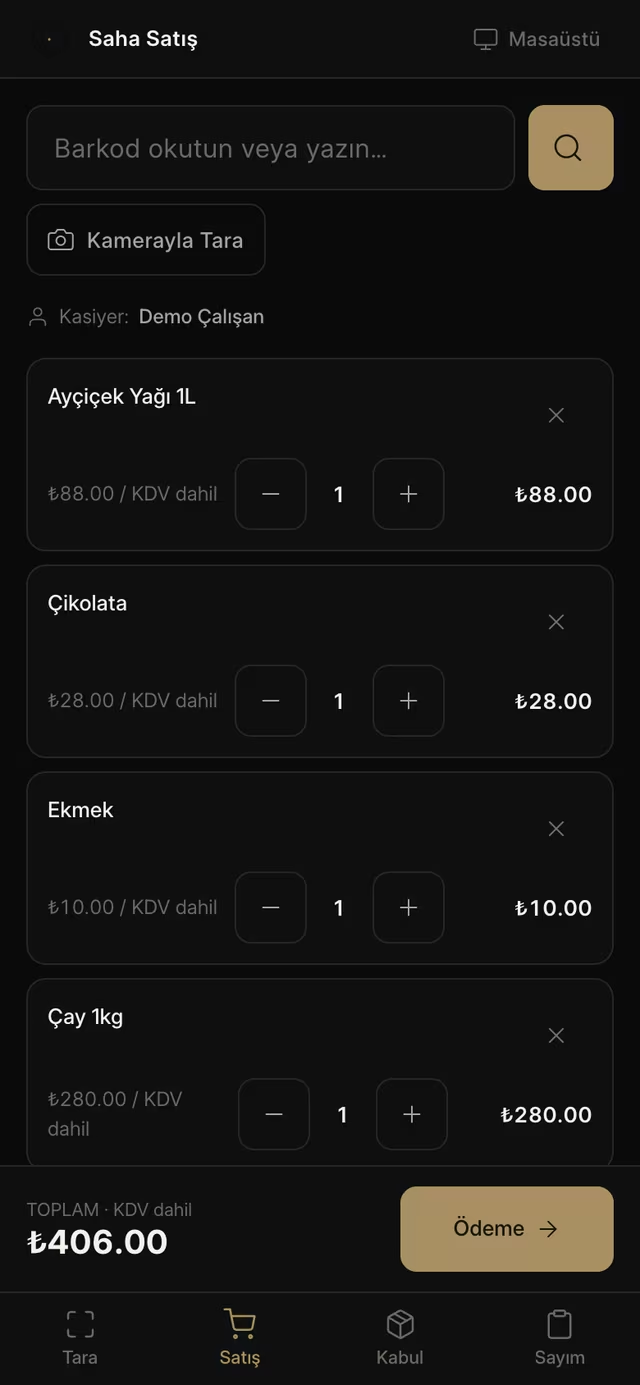
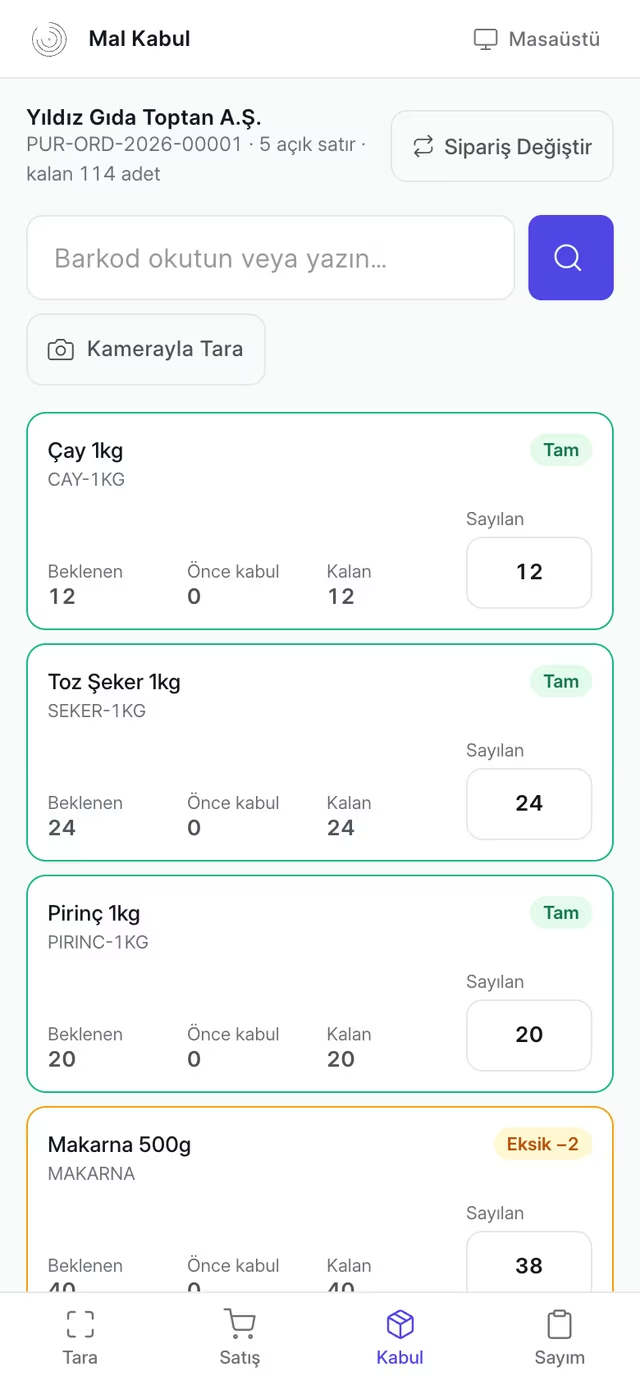
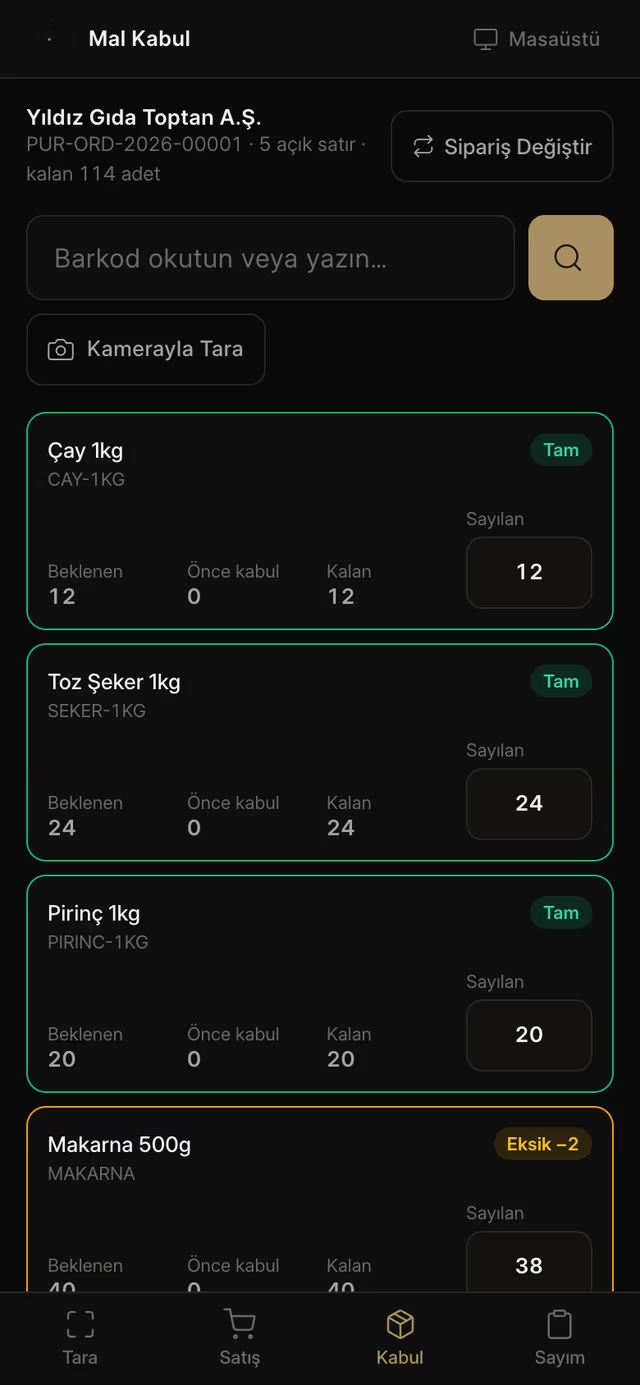
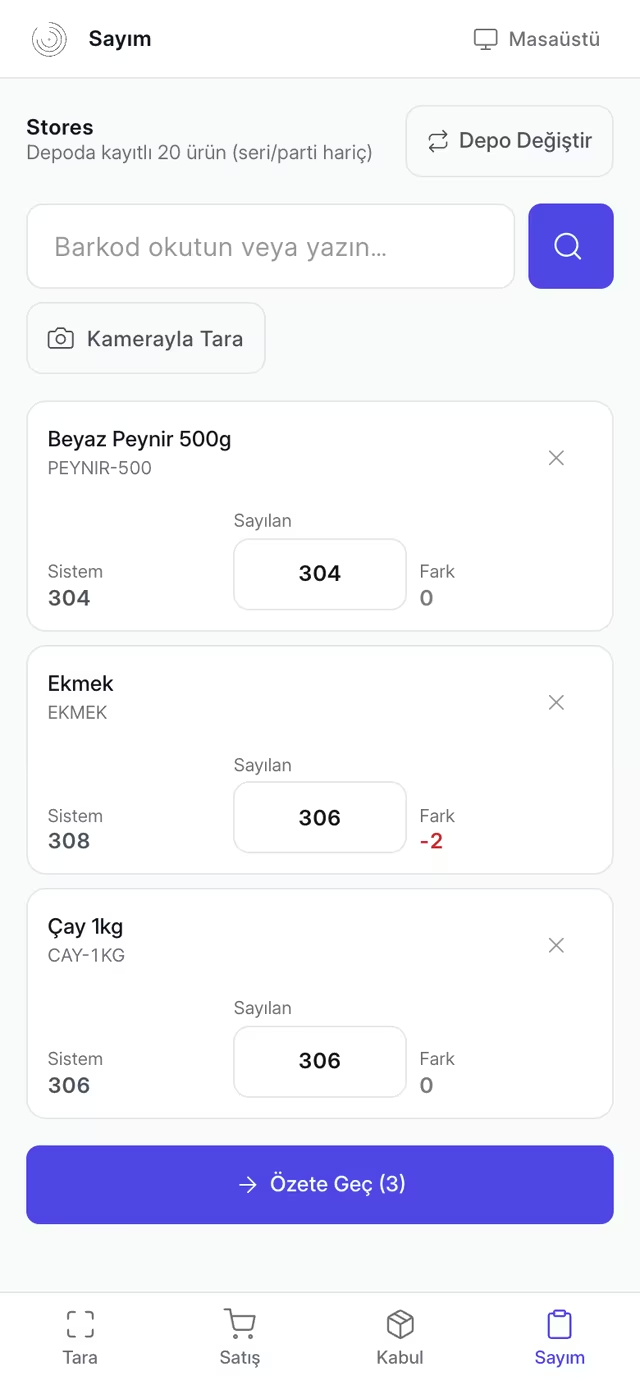
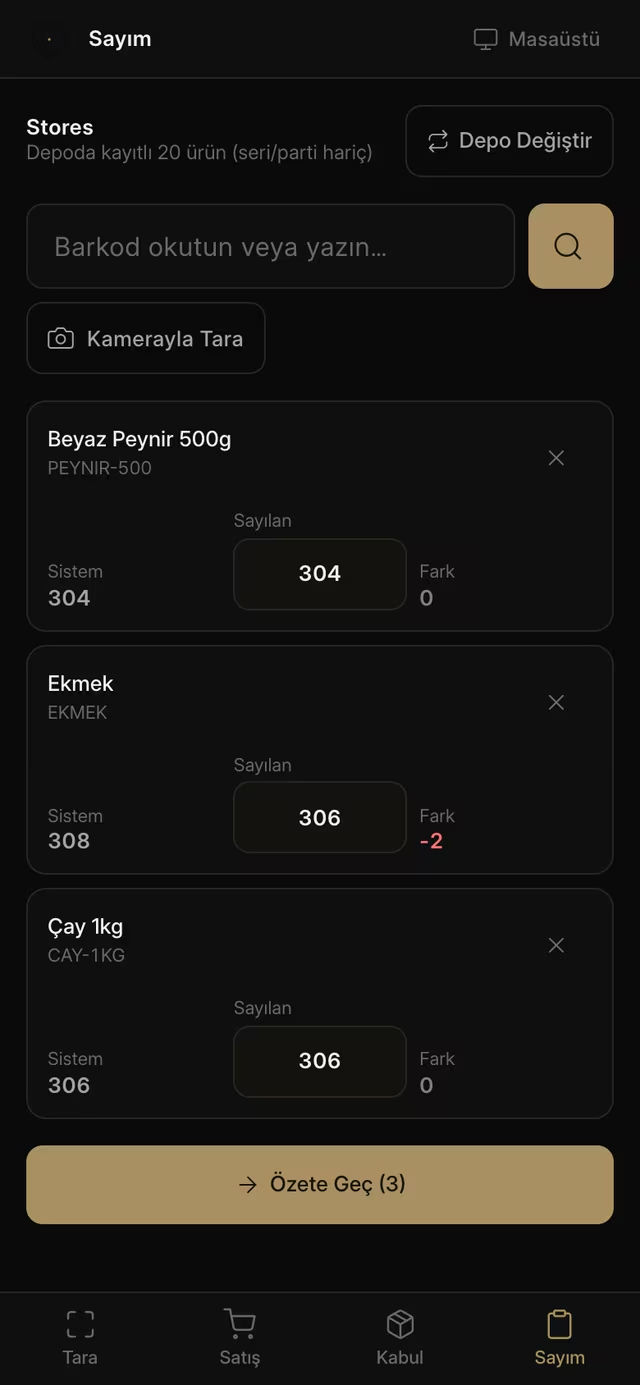
Field Mode

Warehouse, counter and delivery — from a phone

Alongside the desktop screens, Labyra ERP has a separate phone shell for people who work on their feet: four tabs, large tap targets, barcode-first. The screens below come from the live demo.
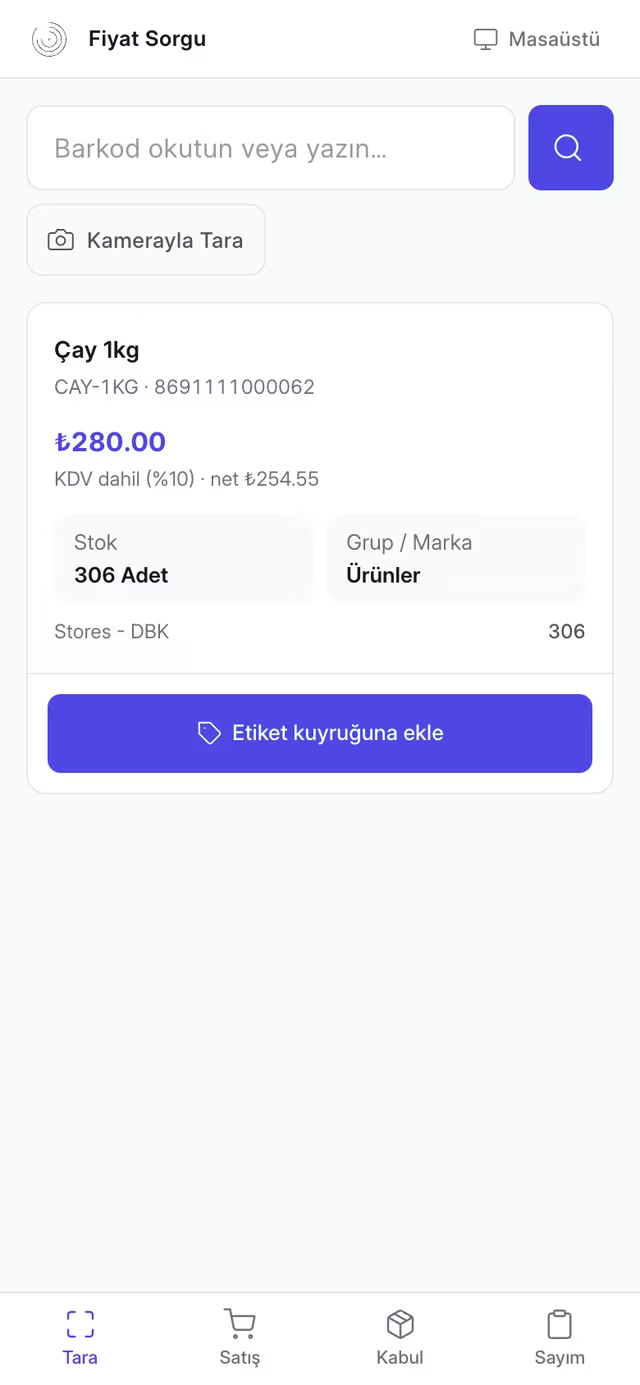
  • Labyra ERP · Price Check
    Labyra ERP Mobil Saha — Price CheckLabyra ERP Mobil Saha — Price Check

    Price Check

    Scan the barcode; VAT-inclusive price, net amount, rate and per-warehouse stock appear instantly. One tap adds it to the label queue.

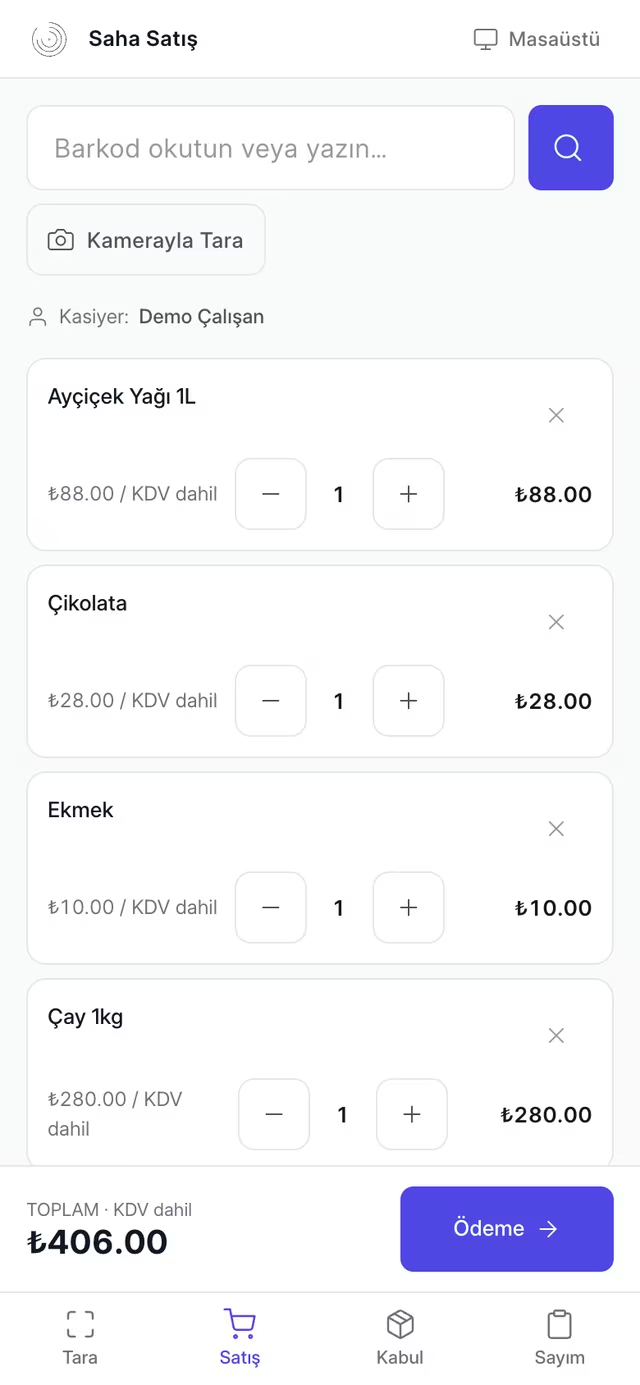
  • Labyra ERP · Field Sale
    Labyra ERP Mobil Saha — Field SaleLabyra ERP Mobil Saha — Field Sale

    Field Sale

    Opens with a cashier PIN, the cart grows as you scan, cash/card can be split. The receipt goes out over WhatsApp the moment the sale closes.

  • No install needed

    It opens in the browser and behaves like an app once added to the home screen. Nothing to download from an app store.

  • Camera needs HTTPS

    Scanning with the phone camera requires a secure connection — that is a browser rule. On on-site installs we solve it with Tailscale, and we do the setup.

  • Works without a camera

    A USB/Bluetooth scanner types straight into the field, and manual entry is always available. Field mode is fully usable with no camera.

  • Sales are PIN-protected

    Price check and stock count are open to everyone; the sales screen asks for a cashier PIN. Every receipt carries the cashier's name.

These screens were captured from live demo data. You can open the demo with no setup and try field mode on your own phone — just add /saha to the demo address.

Open the live demo

Migration

Migrate from your current ERP to Labyra

On Logo, Mikro, Nebim, Paraşüt or Dia? We migrate your data to Labyra smoothly and, where needed, integrate with your existing systems.
Migration
  • Logo Tiger / GoData migration + integration
  • MikroData migration + integration
  • Nebim V3Data migration + integration
  • ParaşütData migration + integration
  • DiaData migration + integration

Status

Modules
10+
e-Transformation
In testing
Platform
Web · Mobile · Desktop
Infrastructure
Cloud · KVKK-compliant

DETAILS

Your whole business in one modern ERP

One connected system instead of separate programs.
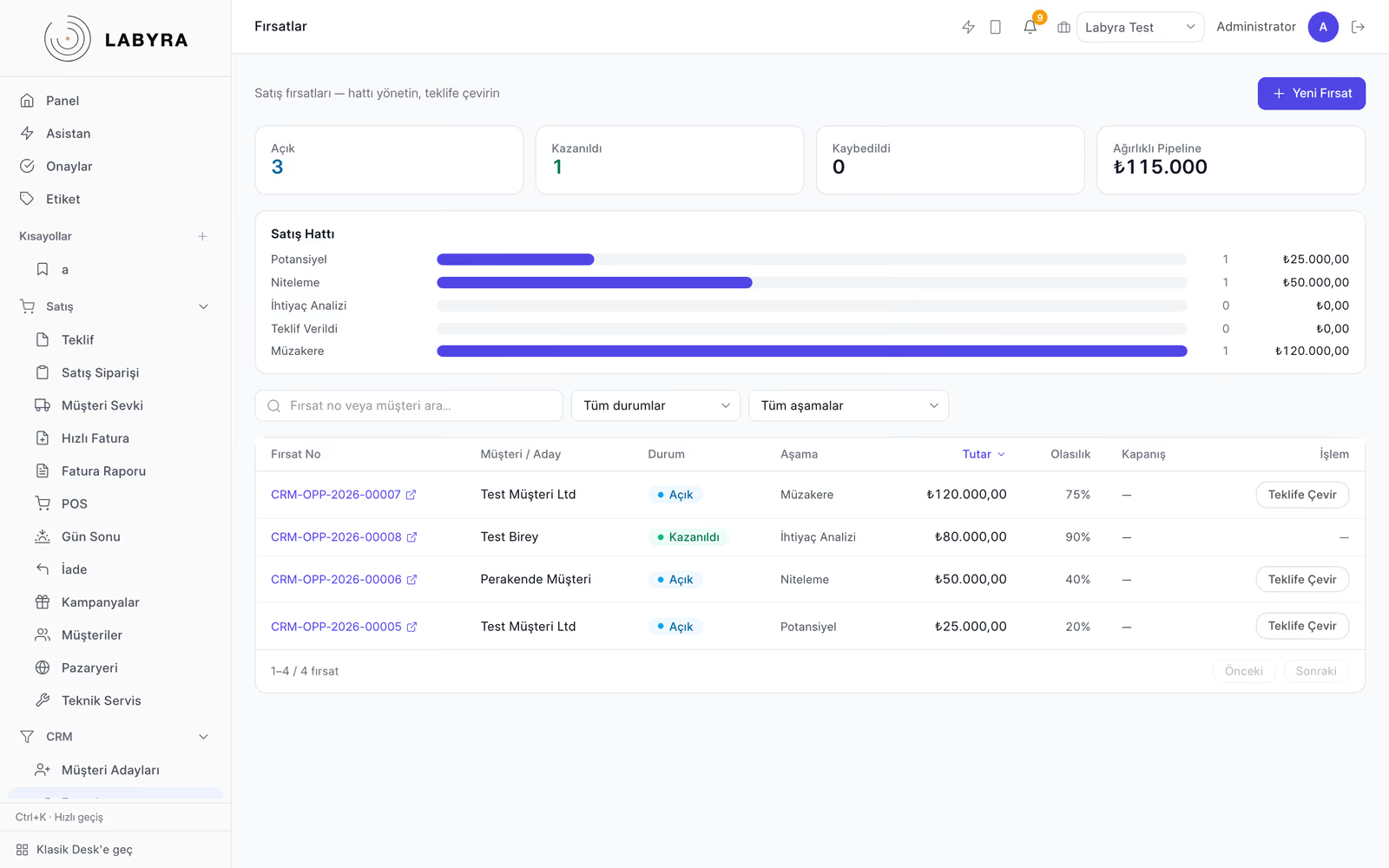
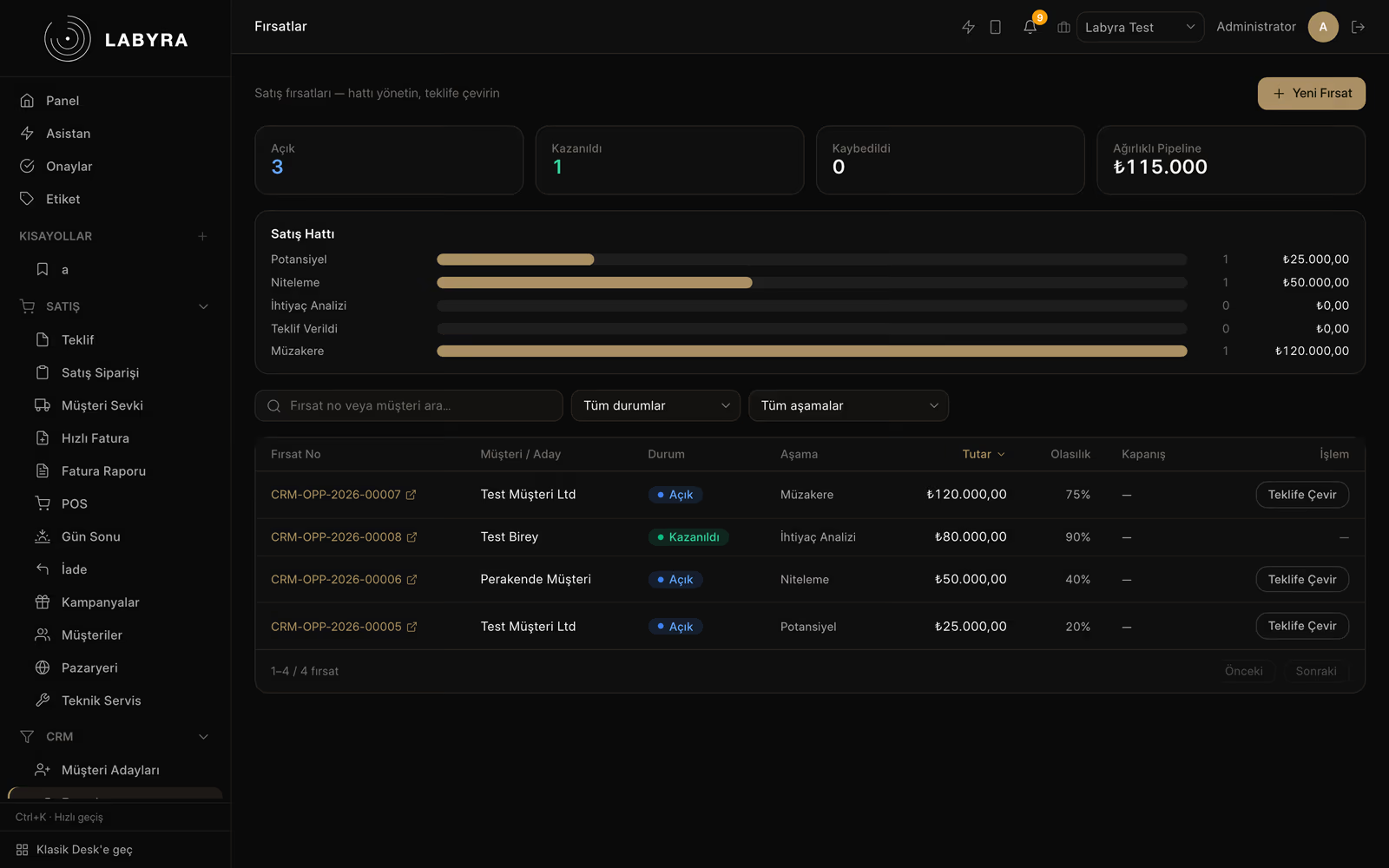
  • Sales & Customers (CRM)

    Manage the whole sales journey — from customer record to quote, order to dispatch — in one place.

    • — Customer records & lead review
    • — Quotes + automated quote requests
    • — Order creation & approval
    • — Customer dispatch & dispatch control
    • — Campaign creation
    • — Marketplace / e-commerce (online sales) integration
    • — Technical service tickets & reports
  • Invoicing & Day-End

    One-click invoices and credit notes; historical reports and automatic day-end.

    • — Fast invoicing (cash/term)
    • — Credit (return) invoices
    • — Historical invoice reports
    • — Automatic day-end & Z-report
  • Purchasing & Supply

    Purchase invoices and supplier management; auto reorder when stock runs low.

    • — Purchase invoice entry & tracking
    • — Supplier management
    • — Automated supply & reordering
  • e-Transformation (Built-in)

    e-Invoice, e-Archive and e-Despatch are part of the ERP; no separate module or extra fee. The layer, through the private integrator Nilvera, is in testing and not live yet.

    • — e-Documents: e-Invoice & e-Archive
    • — e-Despatch
    • — Inbound e-invoice box + 10-year legal archive
  • Warehouse & Stock

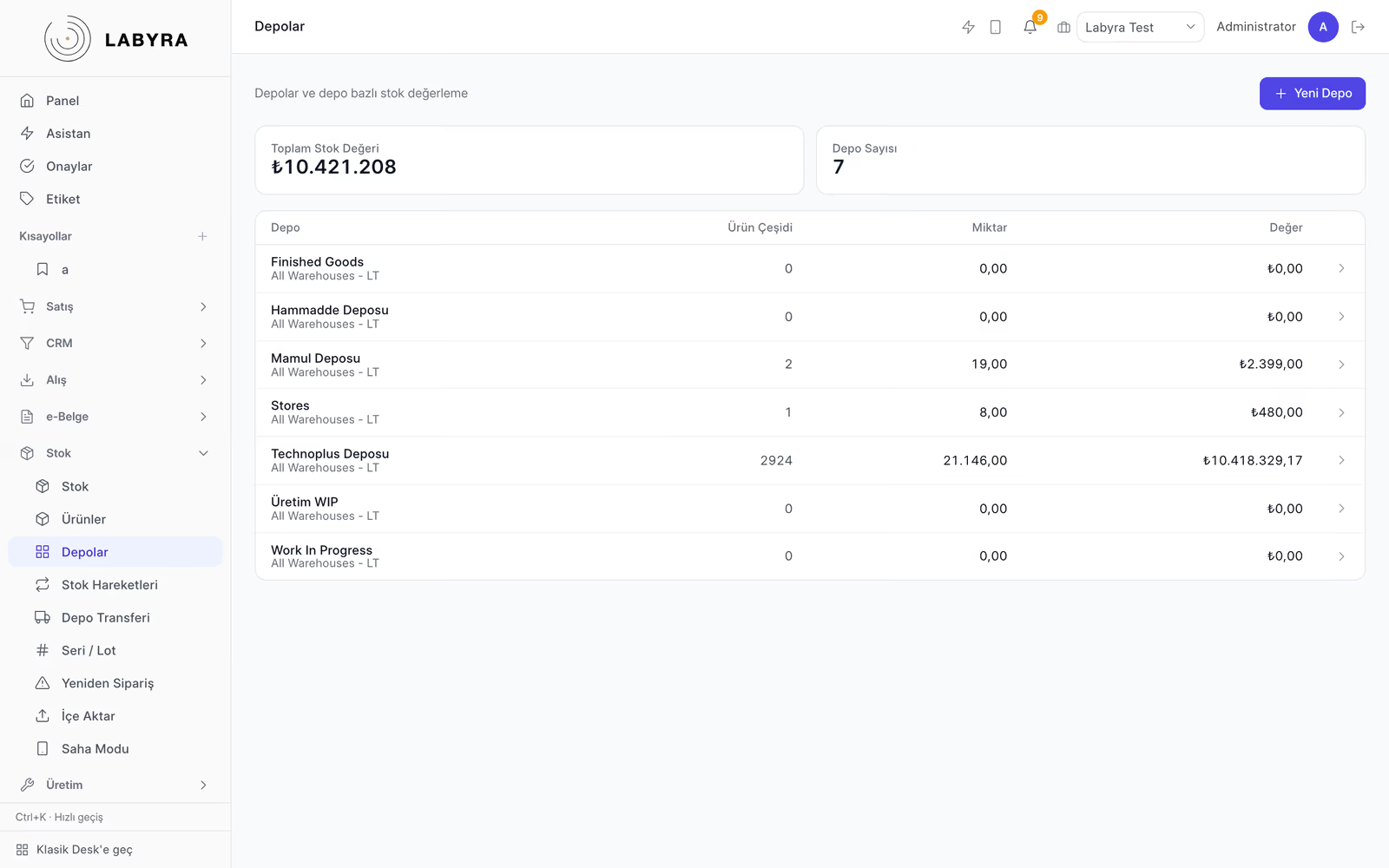
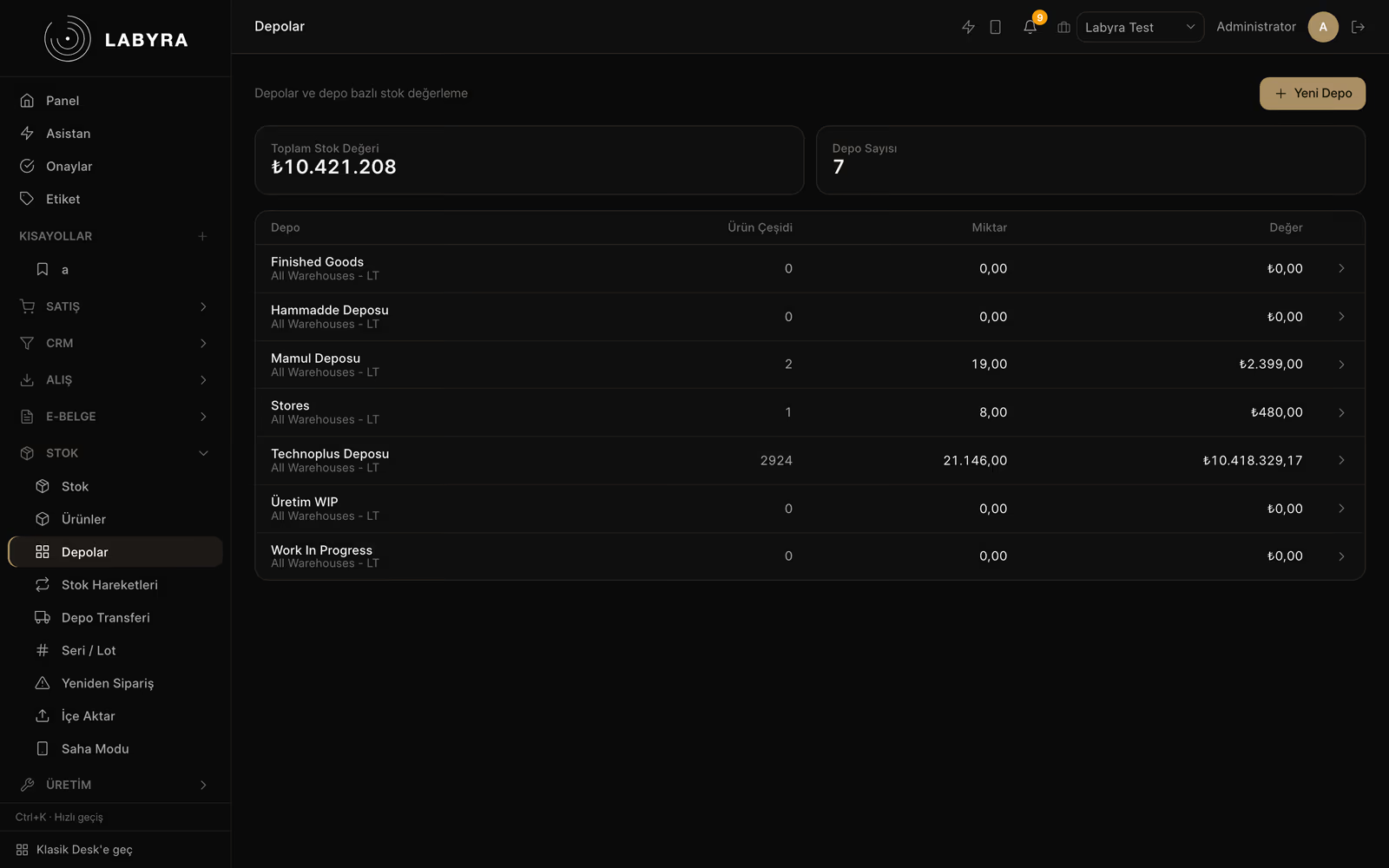
    Multi-warehouse stock, inter-warehouse transfers, serial numbers and mobile warehouse control.

    • — Create warehouses (multi-warehouse)
    • — Inter-warehouse transfer + dispatch note
    • — Per-product serial number tracking
    • — Mobile warehouse control & barcoded counts
  • Manufacturing & Projects

    Production panel, work orders and costing; track your projects task by task.

    • — Production panel: BOM & work orders
    • — Real production costing chain
    • — Project management: task board & timesheets
  • Accounting & Finance

    Customer accounts, payments/collections, cheques & notes and books-reconciled reports.

    • — Customer accounts & statements
    • — Payments / collections
    • — Cheque & promissory note portfolio
    • — Trial balance, balance sheet, P&L reports
  • Payroll & People (HR)

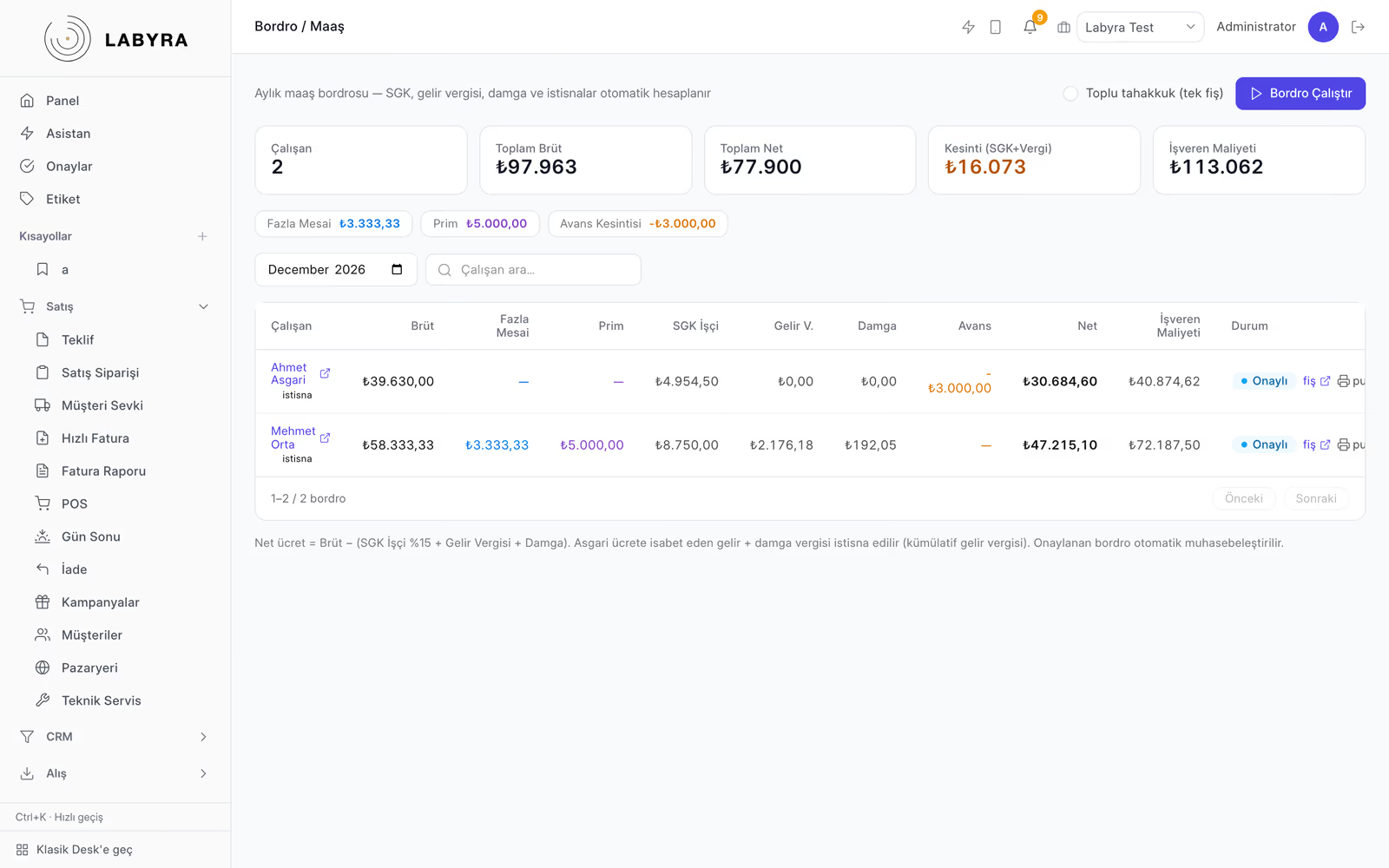
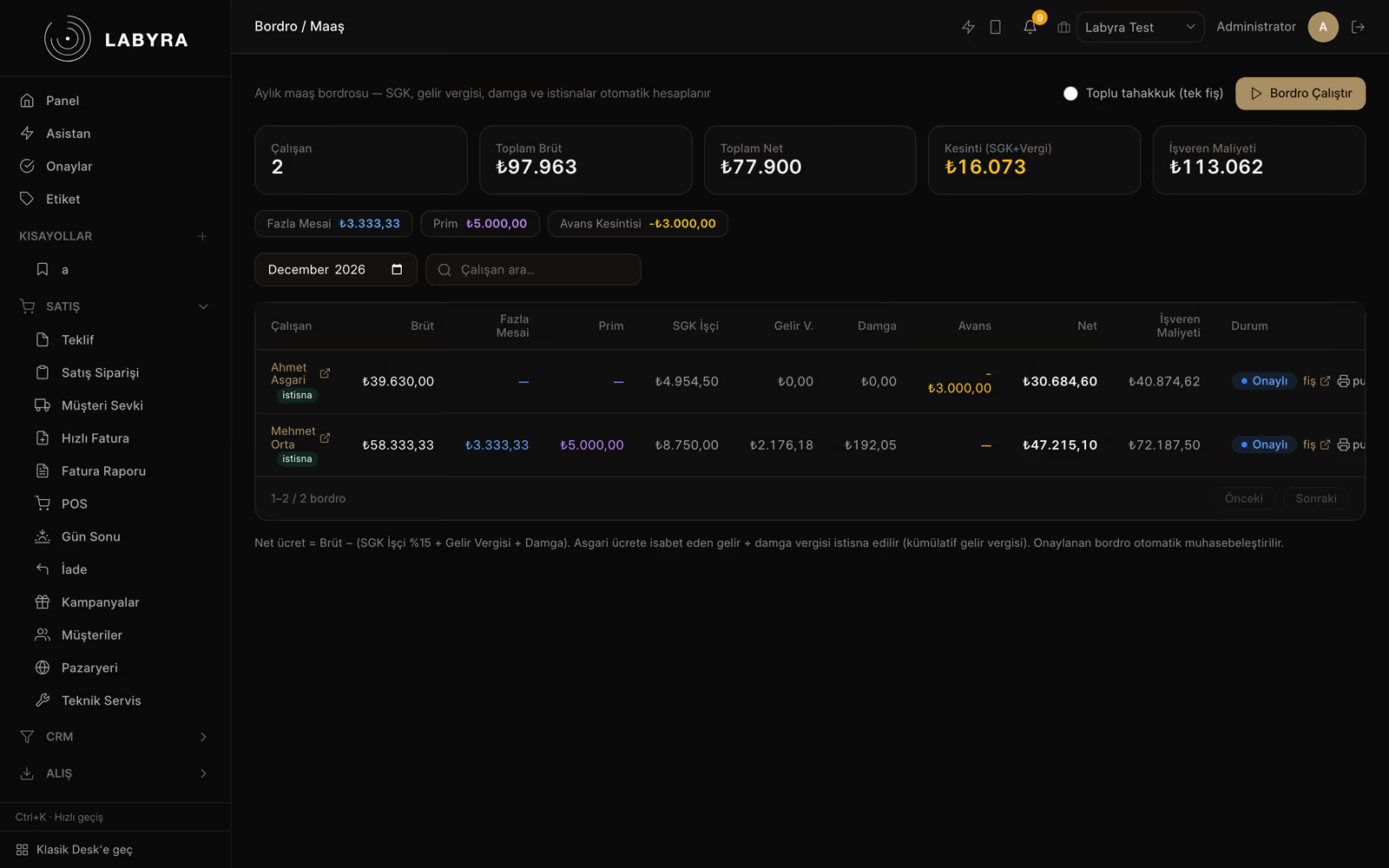
    Salary, SGK, advances, bonuses, severance and leave — end-to-end Turkish payroll.

    • — Payroll & salary calculation
    • — Personnel tracking & records
    • — Bonuses & employee advances
    • — Severance (notice/seniority) & SGK
    • — MUHSGK filing & employee leave
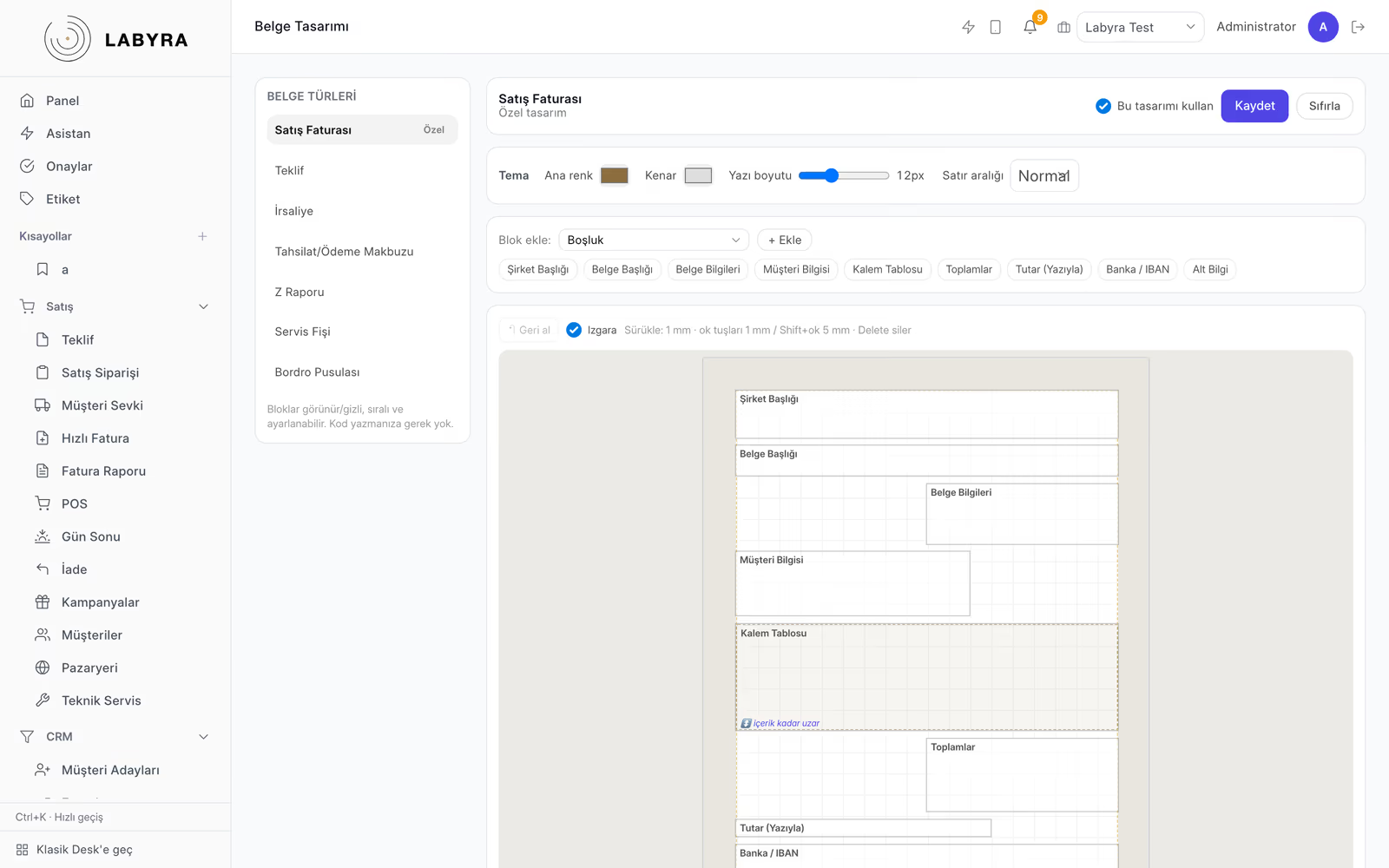
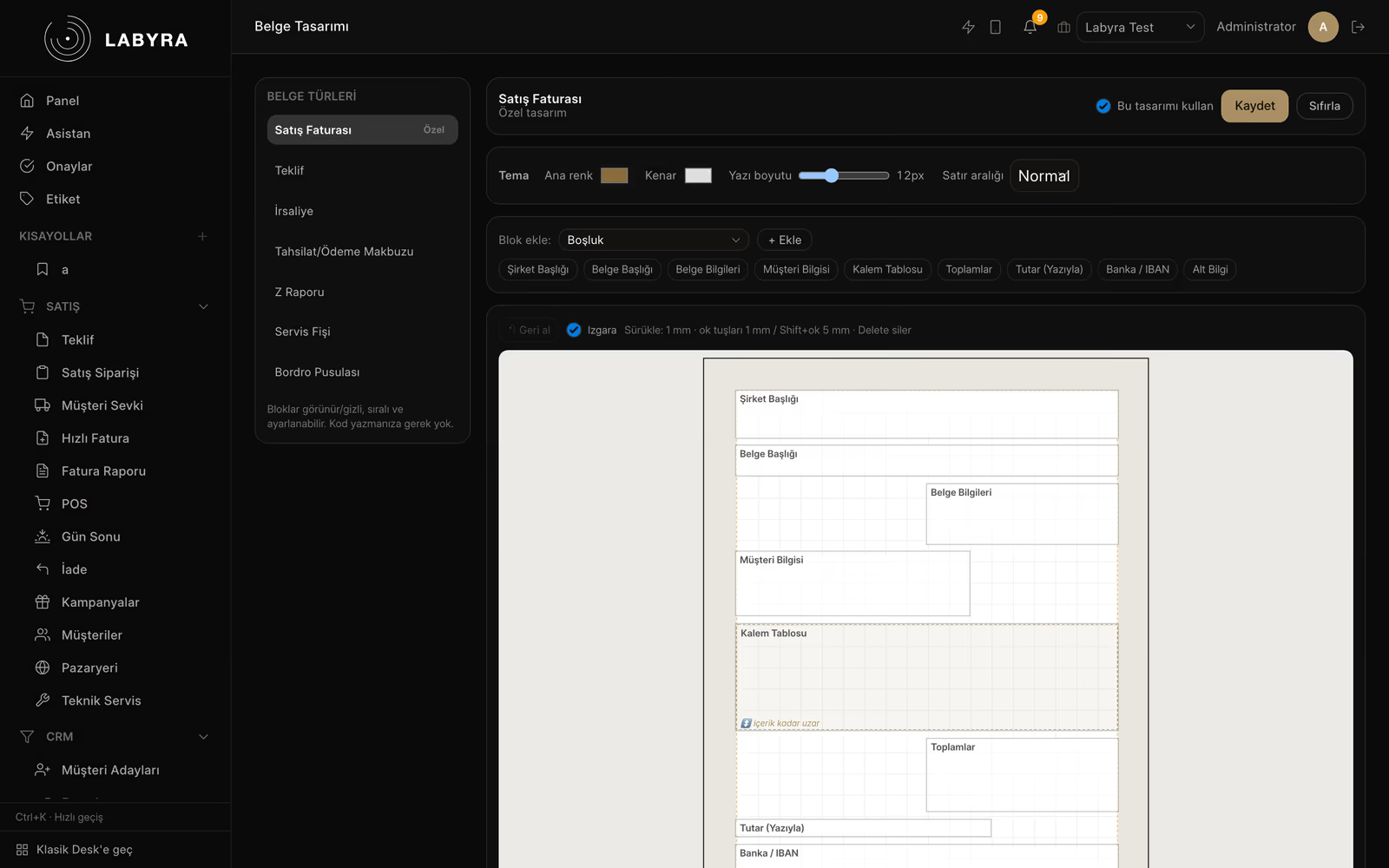
  • Document & Label Design

    Your invoices, despatches, barcodes and shelf labels — branded, no separate program needed.

    • — Design editor for every generated document
    • — Invoice, despatch, receipt templates
    • — Barcode & shelf-label design (BarTender-class power)
    • — Your own logo, colors and layout
  • Admin Panel & Permissions

    Create employees; decide who can see and do what, from a single screen.

    • — Create employees (users)
    • — Per-employee permission management
    • — Global permission & role management
    • — Who did what — audit log

Why Labyra ERP?

  • Modern & On Every DeviceWeb, mobile field and desktop; a clean, modern interface — not dated screens.
  • e-Transformation Includede-Invoice/Archive/Despatch/SMM aren't a separate module or extra fee. The integrator layer is in testing and not live yet.
  • Full Turkish PayrollSeverance/notice, private pension, disability allowance, meal/transport, MUHSGK — end-to-end local.
  • Secure Cloud & On-PremBacked-up, KVKK-compliant cloud; with an on-prem option on your own server for enterprise.

Comparison

Labyra vs traditional ERP

The same job for less money and less complexity.
Labyra vs traditional ERP
Traditional ERPLabyra ERP
e-TransformationSeparate paid moduleIncluded · in testing
Payroll & HRSeparate paid moduleIn the Üretim and Kurumsal packages; an add-on module on Ticari
ManufacturingSeparate paid moduleIn the Üretim package; an add-on module on Ticari
PricingBy quote, line by linePublished: package, extra-user and module prices are on the site
Interface & devicesDated desktopModern web + mobile
UpdatesVersion/maintenance feeAutomatic, included
Total costHigh, piecemealA clear package price; you add only the modules you need

The row-by-row comparison with Paraşüt and Logo İşbaşı lives on its own page. Competitor data was verified from their official sites, and the rows we lose are in the table too.

See the comparison

Last word

Let's draw up a setup plan for your business

Tell us about your business; we'll walk through the demo together and talk through which package fits and how setup would go.